Decoration method

Engraving

CNC engraving uses a cutting tool to remove material and create a recessed design. An optional color fill can make the carved logo more visible.

A cutting tool follows a path prepared from your artwork, so the design is carved out of the material itself rather than printed on top of it.

Get a Quote Products printed this way

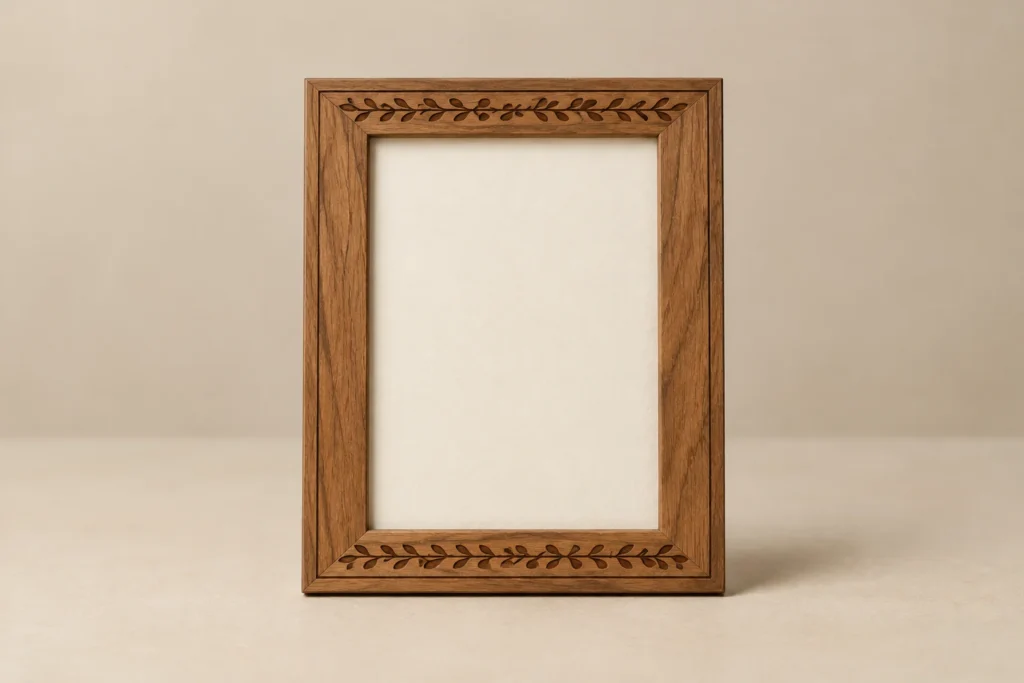
Oak photo frame with a leaf pattern carved along its top and bottom edges, the lines cut slightly darker than the surrounding wood, standing against a pale studio background

Quick facts

Colors
Color is possible; the number is confirmed with the artwork
Surfaces it takes
Flat · Shallow curve
Materials
Metal · Plastic · Wood
Minimum order
100 pieces
What drives the cost
Printed area · Piece count · Setup and screens

One color and several colors

Unfilled engraving

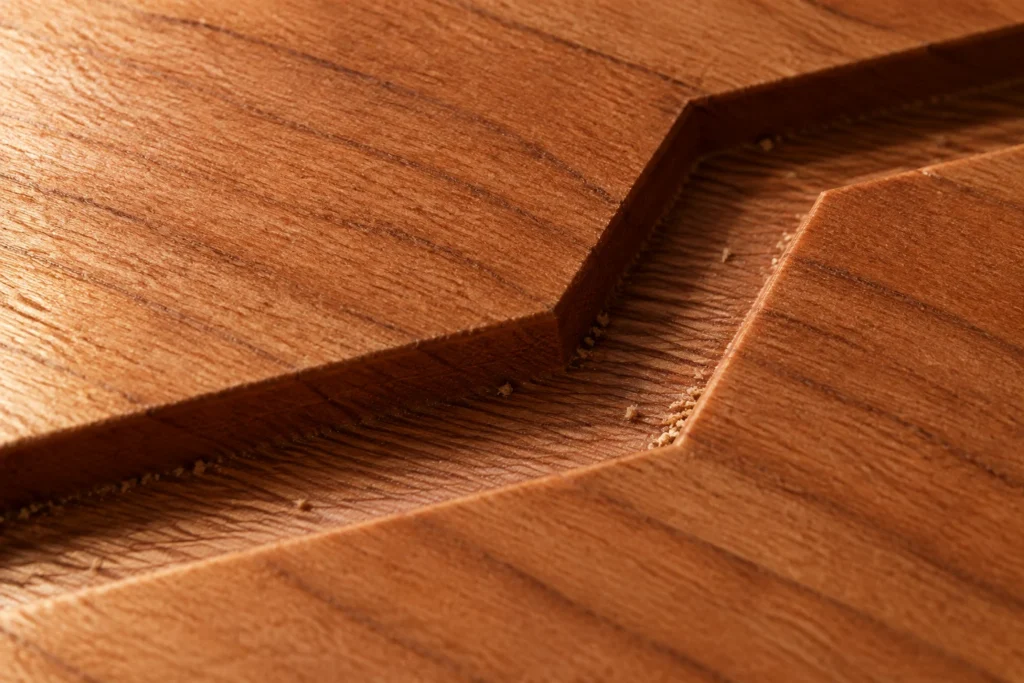
CNC engraved groove in cherry wood showing parallel cutter marks, crisp edges and sawdust left in the cut

Bare engraving: the cut groove and its tool-path detail show on their own, with no fill added.
Color-filled engraving

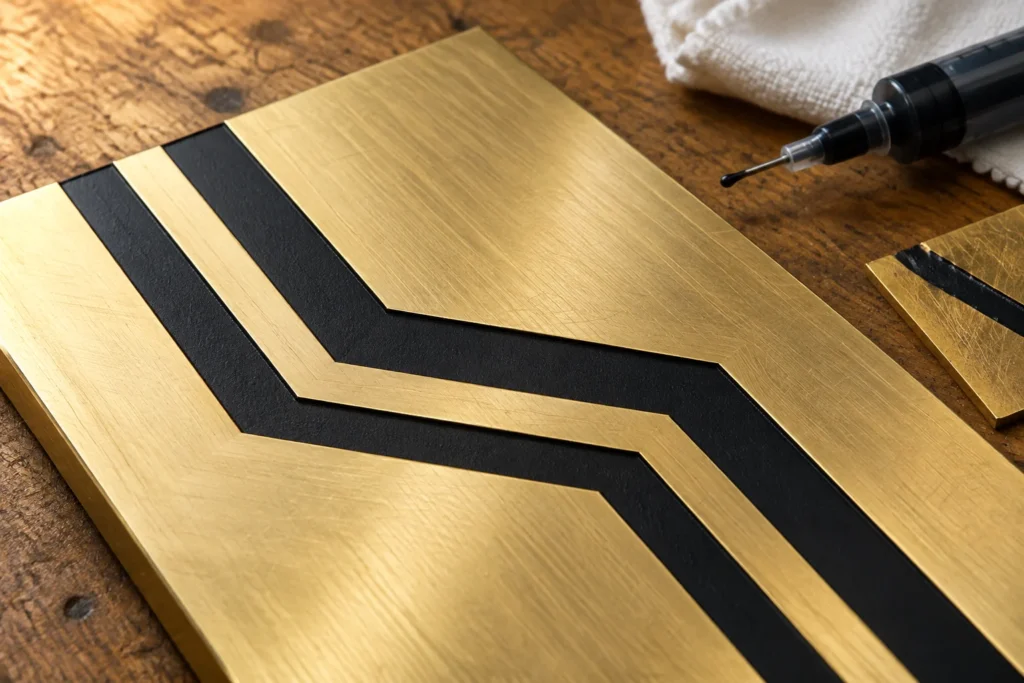
CNC engraved brass plate with the recessed channel filled in matte black paint, paint syringe and test brass beside it

Color-filled engraving: paint sits inside the groove, so the carved mark reads against the surface from a distance.
How Engraving works

  • Tool path A cutting path is prepared from the artwork, and the depth and step-over are set for the material.
  • Workholding The part is clamped flat or held in a fixture, because any movement during the cut shows up in the groove.
  • Cutting The tool removes material along the path to form the recessed design.
  • Clean-up and fill Burrs are cleaned off and edges are checked, and paint is added only where the order includes a color fill.
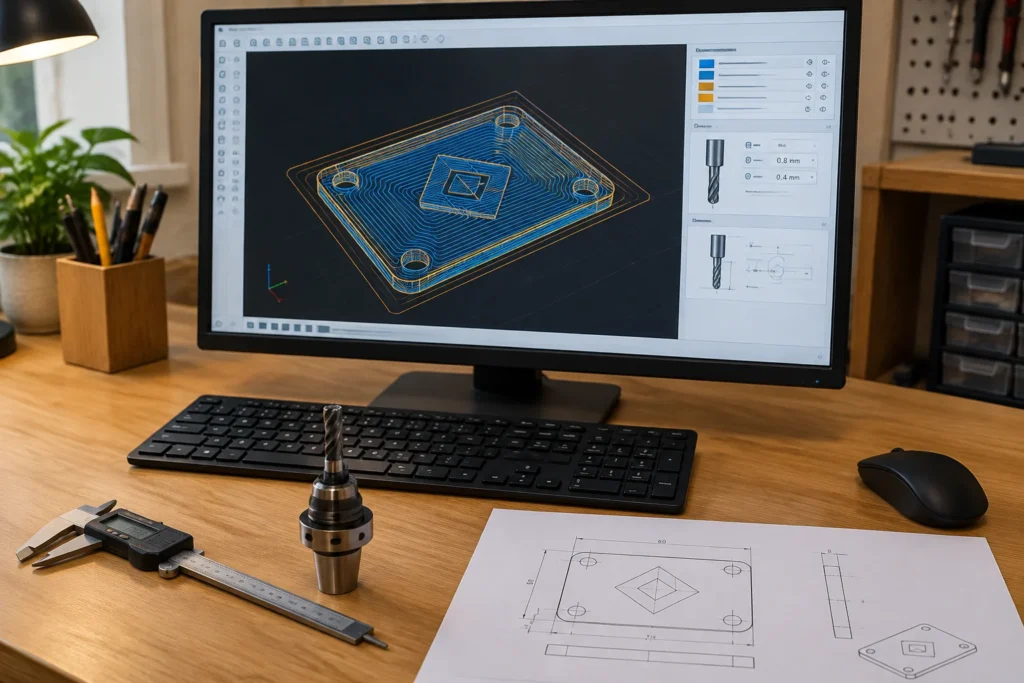
CNC engraving CAM software showing roughing and finishing toolpaths on a small plate, with caliper and end mill on the desk
Tool path A cutting path is prepared from the artwork, with the depth, cutter size and step-over set for the material.
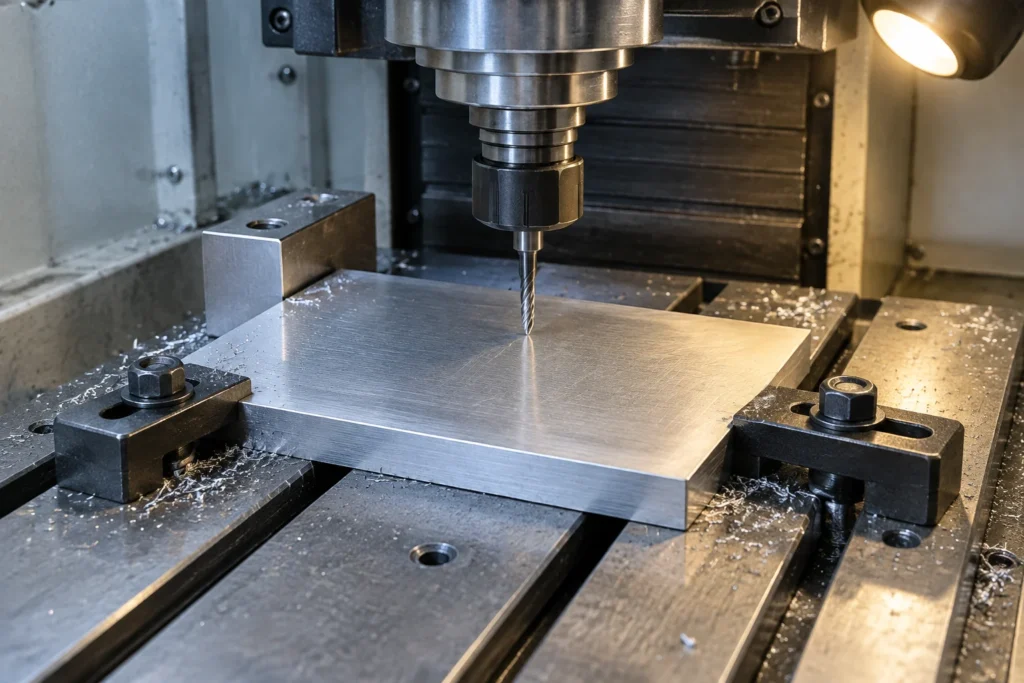
Aluminium blank clamped on the CNC bed against a machined stop with an engraving cutter mounted above it
Workholding The part is clamped flat or held in a fixture against a stop, because movement during the cut shows up in the groove.
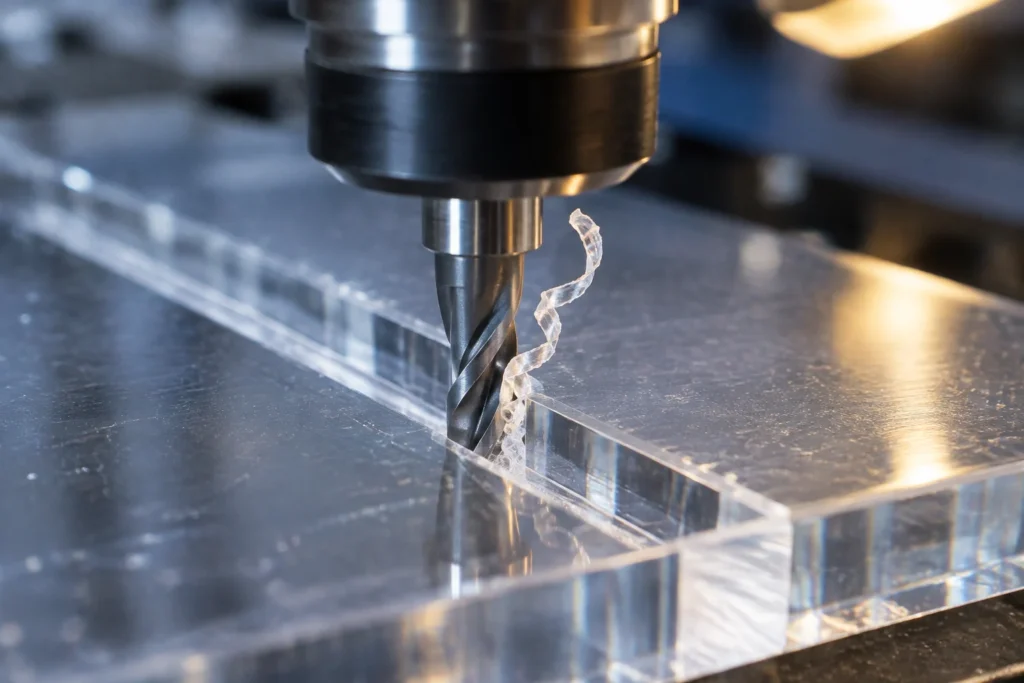
Engraving cutter cutting a groove into clear acrylic with a curl of swarf and a glass-clear groove wall
Cutting The tool follows the path and removes material to form the recessed design, leaving tool marks on the groove floor.
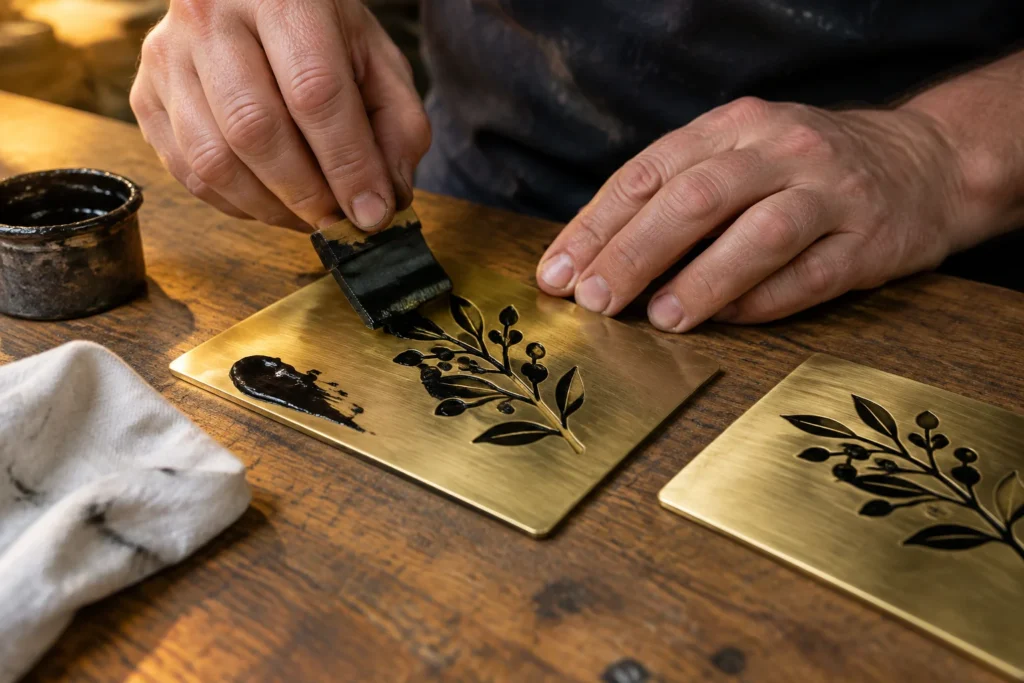
Working black paint into an engraved brass plate with a squeegee while a wiped finished plate sits beside it
Clean-up and fill Burrs are cleaned off and edges checked, then paint is worked into the groove and wiped back where a color fill is ordered.

Surface suitability CNC engraving suits rigid, machinable surfaces such as metal plate, solid wood and acrylic, where the mark should be cut into the material and can be felt with a finger.

Best for

  • Cut into the material the mark is a recessed groove in the part itself, so it is felt by hand rather than sitting on the surface as ink does.
  • Color fill option an optional paint fill lifts the carved logo away from the surface so it reads clearly from a distance.
  • Hard-wearing parts rigid metal, solid wood and acrylic signage take a carved mark that suits plaques and heavy-use items.
  • Repeatable from a program once the tool path is proved on a sample, the same program reproduces the same groove on later orders.

Where it falls short

  • Rigid stock only soft, elastic or very thin and brittle parts do not suit a cutting tool and are assessed before quoting.
  • Fine detail has limits very small type and tightly packed lines are reviewed against the material and the tooling before the job is accepted.
  • Surface finish matters the cut edge shows the material's own structure, so an inconsistent stock shows in the groove.
  • Curves need a fixture cylinders and complex shapes are quoted only after the clamping, the rotary fixture and the machinable area are confirmed.

We cannot promise that a carved groove will look identical across different materials or batches, that very fine detail will hold at any size, or that a digital proof represents the real cut edge and texture. Depth, tooling and clamping are confirmed on the sample before the batch runs.
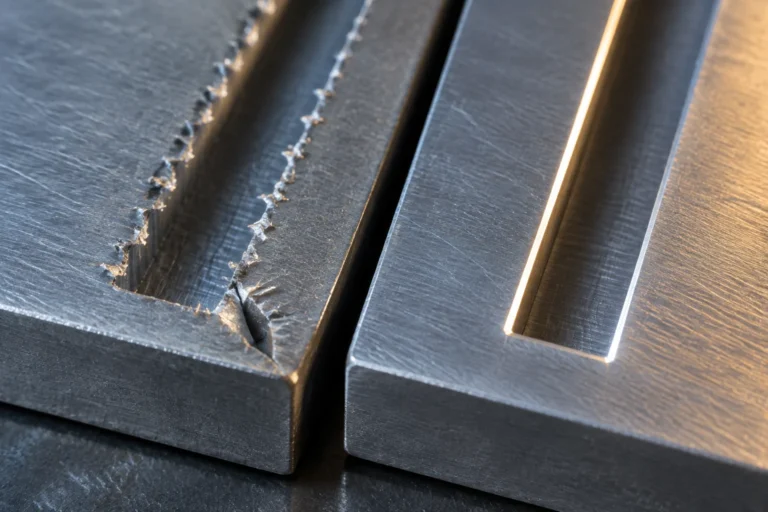
Common printing issues & what to check

Ragged burrs and a chipped edge along an aluminium engraved groove beside a clean cut edge on the same material
Illustrative

Chipping or cracking

Possible issue The edge of the cut chips, or the part cracks, when the material grade, the cutter or the tool path does not match the job.

What to check Check the material, the cutter and the tool path before the batch runs.
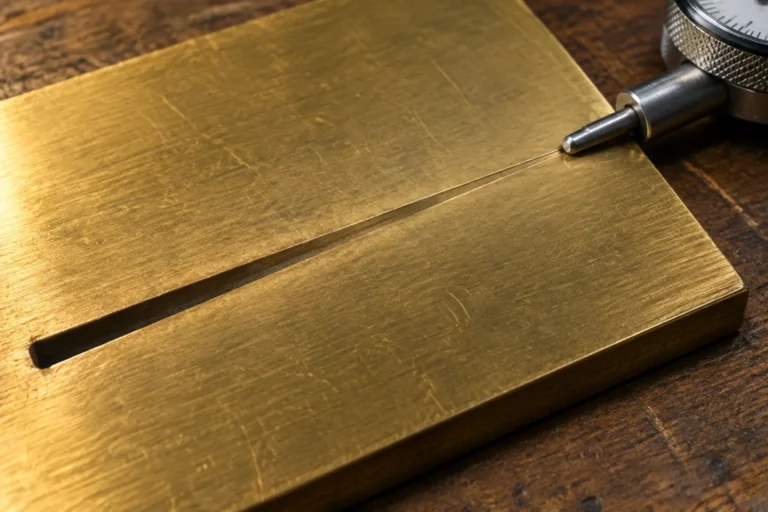
Brass engraved groove that runs deep at one end and fades shallow at the other, with a depth gauge probe resting in the shallow end
Illustrative

Uneven groove depth

Possible issue The groove runs deeper in one area than another when the part is not held flat, the cutter is worn, or the surface is not true.

What to check Check the fixture and clamping, the cutter condition, and how flat the part really is.
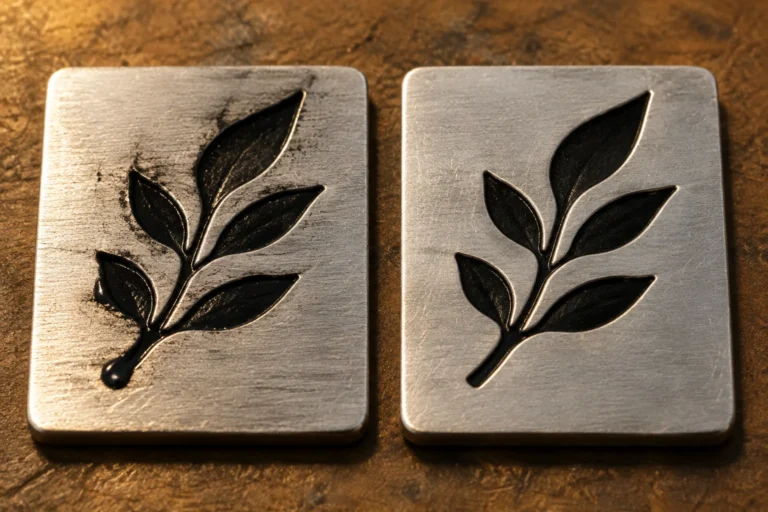
Paint residue smeared outside the engraved leaf mark on one aluminium plate beside a plate filled cleanly inside the groove
Illustrative

Paint bleeding past the groove

Possible issue A color fill spills over the edge of the cut and leaves a ragged outline when the groove is not clean before filling.

What to check Check that the groove is cleaned out and that the filling step is defined before production.

Artwork & production confirmation

  • Vector artwork: AI, EPS or PDF with text converted to outlines; a raster file is accepted only when it is clean at the final engraved size.
  • Depth requirement, where the design depends on it, stated with the file rather than assumed.
  • Material and area: the part, its material, and the size of the engraved area in inches or millimeters.
  • Position on the part, with a marked sketch or template where the item has one.
  • Color fill: whether the order includes a fill and in which color, plus the quantity.

What we confirm

Before production we confirm the artwork version, the material and the engraved area, the depth requirement, the position, whether a color fill is included and the quantity, in writing. The fixture is agreed at the same point. Production starts from that confirmation, so a change made afterwards can need a new sample and a new quotation.

What a digital proof shows

A digital proof shows layout, size and placement only; it does not show real texture, print density, adhesion or wash behaviour, so it is not a physical sample.

Pricing and order policies

Engraving Costs

Setup fees and per-item printing charges are listed separately in your quote.

Print option Setup fee Per-item printing
One engraved position $35–$50. One-time program and tooling preparation for the job. Quoted per project on the product, engraved area, depth and quantity; no single base rate is published, and some pens generally include engraving in one location, so check the product quote.
Each additional position No new preparation fee where the program and the fixture are reused. +$0.01–$0.02 per item for a second position. A new fixture is quoted separately.

*Check the product quote for included decoration. Additional-position pricing depends on the product and print area.

Samples

  • New-customer sample-making fee for this method: $50–$100.
  • New customers generally pay a sample-making fee in addition to any applicable setup or tooling fee. Existing customers generally do not pay a sample-making fee. We cover the sample product and its shipping. The sample-making fee is refunded at final balance settlement when the bulk order is essentially unchanged from the approved sample in product, material, artwork and finish. Setup and tooling fees are non-refundable.

Repeat orders

  • Repeat-order reuse is subject to this method's own conditions below. Changes to the artwork, size or other tooling-dependent features may require new preparation. A position change alone does not automatically require new tooling.
  • With the artwork and the machining parameters unchanged, the existing program can be reused. A change of size, depth or design is assessed as new programming. This page sets no expiry period for the program.

Engraving or Debossing

What to compare Engraving Debossing
Artwork it suits Solid logos and line artwork that can be carved into a rigid surface; a color fill is optional. Solid logos and text pressed into a softer surface with a die, where fine line work is limited by the die.
Product surface Rigid machinable metal, wood and acrylic, flat or held in a fixture. Paper, board, leather and some coated surfaces that take an impression from a die.
What drives the quote Tool path time, engraved area, depth, material, fixture and whether a color fill is added. The die, the pressed area, the material and the quantity.
Confirm before ordering That a fixture suits the part, and how deep the groove should be. That the material takes a permanent impression, and the die size.

The two columns describe what each process can hold on a surface, not a comparison of finished quality. Send the artwork and the item, and the recommendation comes with the reason for it.

How the order runs

  1. Artwork and product check We review the artwork, the part and its material together, agree the engraved area, depth and position, and quote from that.
  2. Pre-production sample and approval The factory prepares a pre-production sample. Where approval is required we share photos or video of the actual sample before bulk production, and a physical sample can be shipped on request.
  3. Production The order runs on the agreed program and fixture, with the approved sample as the reference.
  4. Inspection and delivery Routine visual checks, plus simple manual adhesion and fingernail scratch checks where applicable, on samples from the production batch. Inspection records can be provided and professional testing can be arranged at extra cost. Unchanged repeat orders are inspected against the retained sample from the previous bulk run.

Products that use this method

No product in the catalogue is filed under this method yet. We can still print it on an item we source for you.

Whichever method you print with, these services carry it through: Logo Printing & Product Customization, Sampling & Approval, Production Monitoring & Quality Checks.

Questions about this method

Is CNC engraving the same as laser engraving?

No. This page describes a physical cutting tool removing material. Laser engraving is a separate method with its own page, and the two are not quoted as one process.

Can the engraving be filled with color?

Yes, as an option. A color fill is quoted separately, and its color is confirmed with the artwork before production.

Can you engrave a cylinder?

It depends on the part. A cylinder needs a suitable clamping or rotary fixture and a defined machinable area, so send the part details and we confirm before quoting.

What is the minimum order?

100 pieces is the process minimum for a suitable product. Confirm the figure on your quotation, because the product can move it.

What does a sample cost?

New customers generally pay a $50–$100 sample-making fee in addition to any applicable setup or tooling fee; existing customers generally do not pay a sample-making fee. We cover the sample product and its shipping. The sample-making fee is refunded at final balance settlement when the bulk order is essentially unchanged from the approved sample, while setup and tooling fees are non-refundable.

Is the preparation fee charged again on a repeat order?

Where the artwork and the machining parameters are unchanged, the existing program is reused and the preparation fee is not charged again. A change of size, depth or design is assessed as new programming.

Longer reads about this method: How to Choose Promotional Drinkware.

Send the artwork

A logo and the item is enough to start. If this method will not hold your artwork on that surface, we say so before you order rather than after the deposit.

Request a quote All methods